![]() |
![]() | ![]() | ![]() | ![]() | ![]() | ![]() | ![]() |
| Welcome to Windows Vista Forums. Our forum is dedicated to helping you find solutions with any problems, errors or issues you are experiencing with Windows Vista. The Vista forum also covers news and updates and has an extensive Windows Vista tutorial section that covers a wide range of tips and tricks. |
| |||||||
![]() |
| |
| | |
| Administrator | Windows Mail Default Associations |
My System Specs![]() |
| | |
| Administrator | Re: Windows Mail Default Associations LOL, no problem Clover. See if running a sfc /scannow command can find and fix any bad system files that may be the cause of this. System Files - SFC Command If it still does not help, then you may have some conflict with remnants of XP in Vista. You would then need to do a clean install of Vista instead. This tutorial will show you how to do a clean install with a upgrade version of Vista instead of upgrading through XP. Clean Install From Upgrade Vista Hope this helps, Shawn |
My System Specs![]() |
| | |
| Member | Re: Windows Mail Default Associations Hi again, I ran the sfc/scannow, found no problems. Read a few other forums and decided to try Windows live mail. This seems to have done the trick. Thanks for all your help, it was much appreciated ![]() Clover........... |
My System Specs![]() |
| | |
| Administrator | Re: Windows Mail Default Associations Your welcome Clover. Thank you for posting back with your solution. I found Windows Live Mail to be better and more stable IMO also. |
My System Specs![]() |
| | |
| Newbie | Re: Windows Mail Default Associations Can I add somehow a different program for mailto in the registry ? I manage after some fightings to have outlook 2000 to open nicely without any other prompts ! but when click mailto I have now windopws mail opening ! Any ideea where to edit or add a new program from program files ? |
My System Specs![]() |
| | |
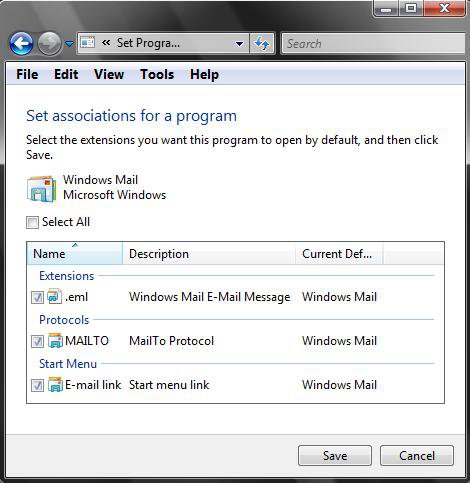
| Administrator | Re: Windows Mail Default Associations Hello Aquis, and welcome to Vista Forums. Yes, you can do that. Make Outlook your default email program, then do step 6 instead and leave the MailTo option under step 6D unchecked for Windows Mail. Hope this helps, Shawn |
My System Specs![]() |
| | |
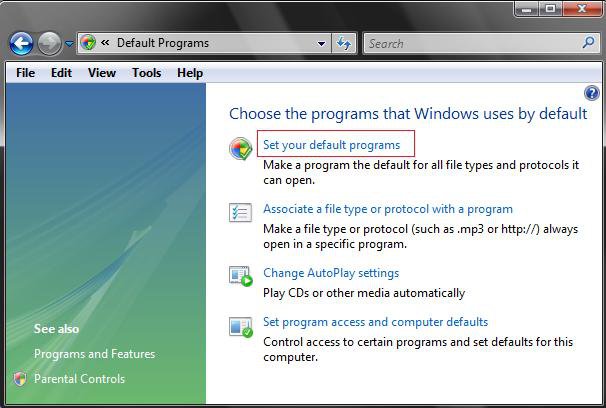
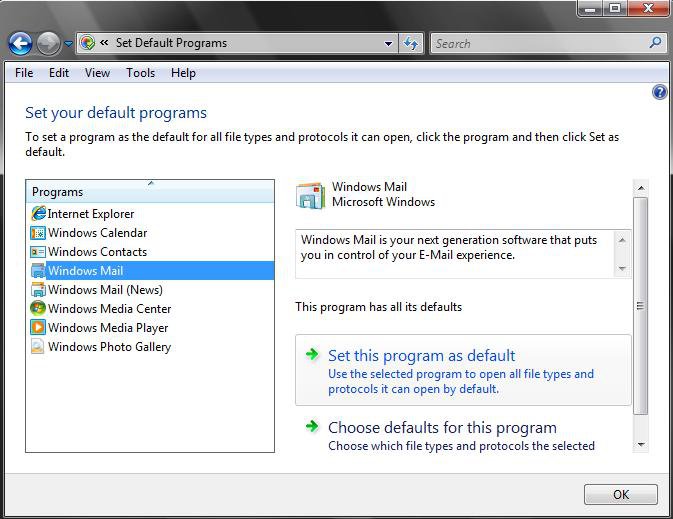
| Newbie | Re: Windows Mail Default Associations Problem is that when opening the defaults there and I try to manually do that I don't see the menu as yopresented with file edit and so on in image on step 6. If I go to associate a file type or protocol with mailto I see there only Opera and Windows mail and the Outlook 2000 is not listed there... I've thought you know a key inside regedit to be added in order to have Outlook 200 also added ! Kind regards Petronel |
My System Specs![]() |
| | |
| Administrator | Re: Windows Mail Default Associations Well, the main problem is that only Outlook 2003 and newer is fully compatible with Vista. You might be able to set Outlook 2000 as the default from within that program's settings though, then come back and check the other options except MAILTO for Windows Mail in Default Programs. |
My System Specs![]() |
| | |
| Newbie | Re: Windows Mail Default Associations well the key would help more I think as long in the OL2000 not see any checks to make it default |
My System Specs![]() |
| | |
| Administrator | Re: Windows Mail Default Associations After you made the adjustments from above, you should be able to uncheck the "Always check if default" option from within the Outlook 2000 settings for it not to anymore. |
My System Specs![]() |
| | |
| Newbie | Re: Windows Mail Default Associations Sorry I am not get it ! I click on Default Programs and than Set Association... than I select MAILTO: protocol and try to CHANGE PROGRAM but here I see only Opera and Windows Mail ! I've thought I should see here Microsoft Outlook 2000 and that would be all ! So maybe a regkey to be added somewhere to see here Outlook ? Thank you for your patience ! |
My System Specs![]() |
![]() |
| Tutorial Tools | |
| |
Similar Threads | ||||
| Tutorial | Category | |||
| Default Programs - Program Default Associations | Tutorials | |||
| How to reset default associations in Vista | Vista music pictures video | |||
| Default Programs/Associations | Vista file management | |||
| WMP Default Associations Problem | Sound & Audio | |||
| Default programs & File associations | Vista file management | |||