
How to Create a "System Restore" Shortcut in Vista
 Information
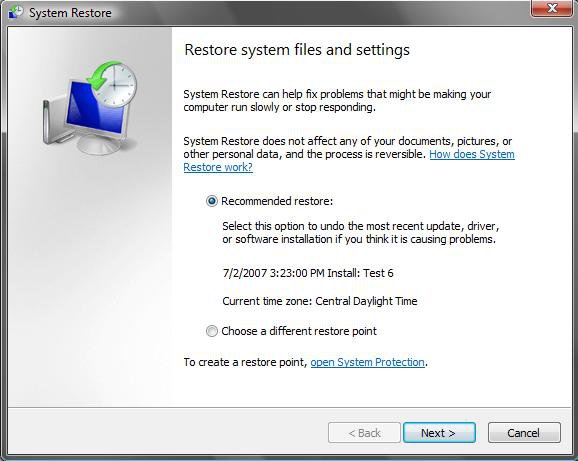
This will show you how to create a shortcut to the main System Restore window to make it easier to do a System Restore.
 Tip
TipThe default shortcut location in the Start menu is:
Start Menu\All Programs\Accessories\System Tools\System Restore
Start Menu\All Programs\Accessories\System Tools\System Restore
 Warning
- If you dual boot with Windows XP, then everytime you start in XP the System Restore Points and all except the most recent Complete PC Backup files in Vista get deleted. To stop this, see: How to Stop System Restore Points from being Deleted in Vista when Dual Booting with XP
- If you have missing restore points, then also see: System Restore "restore points" are missing or deleted
EXAMPLE: Shortcut opens this
 OPTION ONE
1. Click on the download button below to download the System Restore.zip file.

2. Click on Save, and save it to the Desktop.
3. Right click on the System Restore.zip file (on desktop) and click on Open.
4. Click on Allow in the UAC prompt.
5. Extract the System Restore shortcut to the desktop.
6. Place the shortcut where you like to use it at.
7. When done, you can delete the System Restore.zip file.
OPTION TWO 1. Right click on a empty area of your destop.
2. Click on New and Shortcut.
3. Copy and paste the location below into the create window. (See screenshot below)
%SYSTEMROOT%\System32\rstrui.exe
4. Click on the Next button.
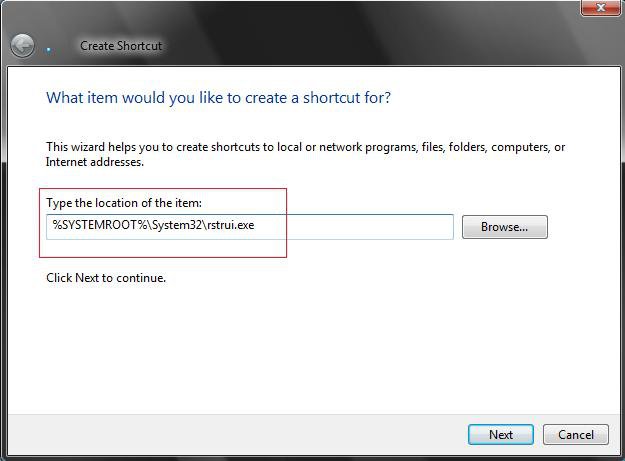
5. Type System Restore. (See screenshot below)
NOTE: You can name this anything like though.
6. Click on the Finish button.
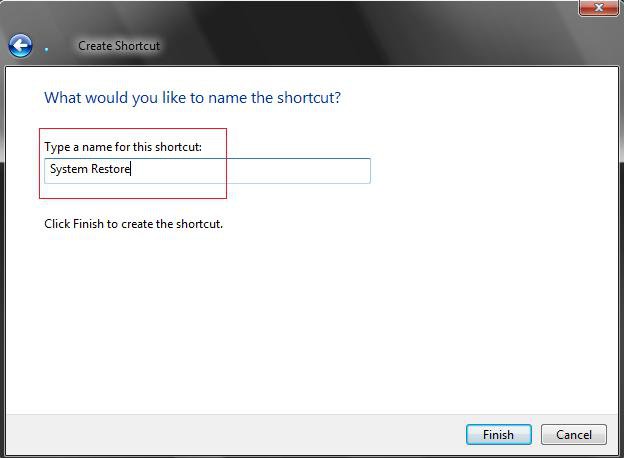
That's it,
Shawn
Related Tutorials
- How to Create a Create System Restore Point Shortcut in Vista
- How to Create a System Restore Point in Vista
- How to Undo the Last System Restore in Vista
- How to Do a System Restore in Vista
- How to Change the System Restore Disk Space Usage in Vista
- How to Turn System Restore On or Off in Vista
- How to Create a Complete Computer Backup and Restore Image in Vista
- How to Stop System Restore Points from being Deleted in Vista when Dual Booting with XP
- How to Restore Previous Versions of a File and Folder in Vista
- How to Change the Automatic System Restore Point Settings in Vista Task Scheduler
- How to Enable or Disable Create Vista System Restore Point when New Device Driver is Installed
- How to Enable or Disable Create Vista System Restore Point when a Application is Installed
Attachments

Last edited:


