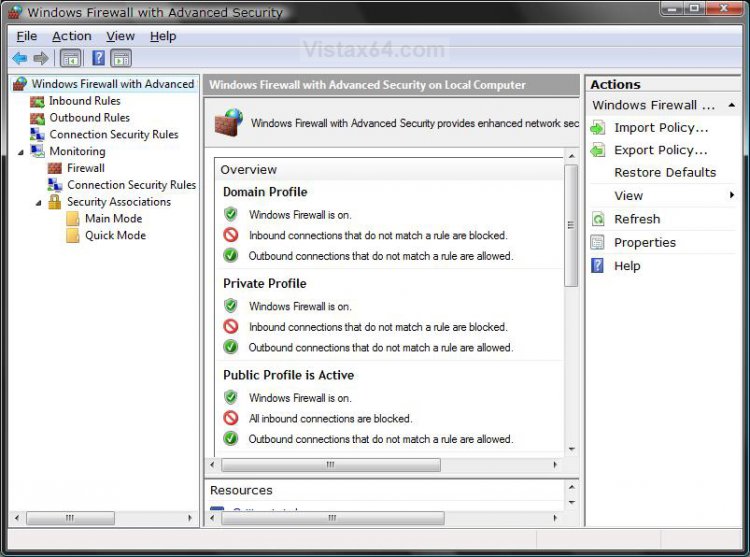
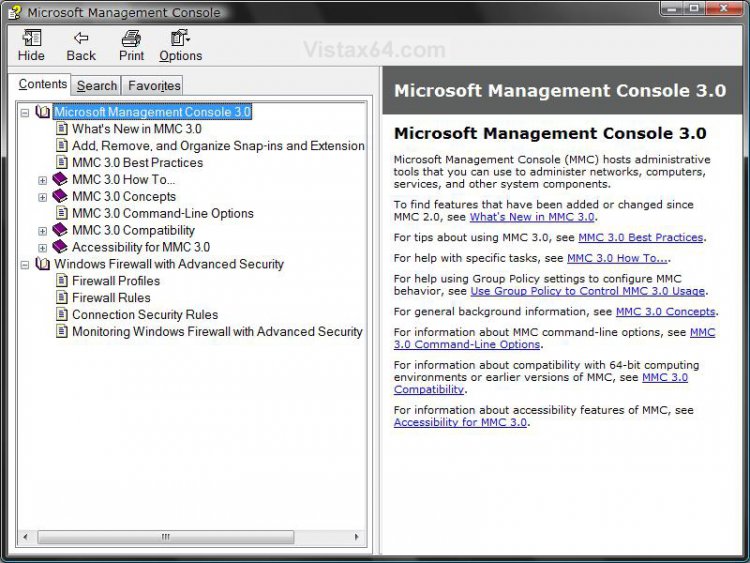
![]() |
![]() | ![]() | ![]() | ![]() | ![]() | ![]() | ![]() |
| Welcome to Windows Vista Forums. Our forum is dedicated to helping you find solutions with any problems, errors or issues you are experiencing with Windows Vista. The Vista forum also covers news and updates and has an extensive Windows Vista tutorial section that covers a wide range of tips and tricks. |
| |||||||
![]() |
| |
Windows Firewall with Advanced Security | |||||||||||||||||||||||||||||||
| |||||||||||||||||||||||||||||||
| | |||||||||||||||||||||||||||||||
| | |
| Member | Re: Windows Firewall with Advanced Security OK, I must be a dumb*** because even reading the help is not helping? You would think if MS wanted you to use their security they would have made it a little more user friendly? Any help would be greatly appreciated! |
My System Specs![]() |
| | |
| Administrator | Re: Windows Firewall with Advanced Security You might give try the free Comodo Firewall Pro instead. It will ask you to approve or block items from the firewall. It's easier to use IMO. Comodo™ Free Firewall Software Download Shawn |
My System Specs![]() |
| | |
| Member | Re: Windows Firewall with Advanced Security can this be used to completely greyout the windows firewall options.? so no one can change them, if so how? |
My System Specs![]() |
| | |
| Administrator | Re: Windows Firewall with Advanced Security Sorry Eight0ffive, but this will not stop someone from changing the Windows Firewall settings. However, the user must be an administrator or have the adminstrator password to be able to make changes to the Windows Firewall settings. |
My System Specs![]() |
| | |
| Member | Re: Windows Firewall with Advanced Security Do you know a way to completely greyout windows firewall options? like when i installed Windows Live OneCare it did it at first, but now its back to normal. |
My System Specs![]() |
| | |
| Administrator | Re: Windows Firewall with Advanced Security Windows Live OneCare installs it's own version of Windows Firewall, so that may be what you are seeing now since it will disable the default Windows Firewall when it is installed. |
My System Specs![]() |
| | |
| Member | Re: Windows Firewall with Advanced Security yes it did disable it at first, but its not like that anymore, thats what im asking, is there anyway to completely disable it through the registry or some other way, ive tried reinstaling it, everything. |
My System Specs![]() |
| | |
| Administrator | Re: Windows Firewall with Advanced Security Stopping and disabling the Windows Firewall service should completely disable the Windows Firewall. However, doing this will leave you without a firewall running including the one from Windows Live OneCare. Unless you are going to install another firewall program, I would not recommend doing this. It would not be a good ideal to run your computer without a firewall running. Hope this helps, Shawn |
My System Specs![]() |
| | |
| shaRp | Re: Windows Firewall with Advanced Security Is there a way to let windows firewall tell me whenever ANY program (even ones like system.exe) tries to connect to the internet ?And then let me choose whether to block it or not? I want to be able to monitor exactly which components are able to access the internet, for me ,this is a big cash saving as i rely on expensive dialup internet. I used to be able to do this with Norton's firewal, but i've since switched to McAffee(for personal reasons). With it i had the option of letting a program connect once,or permanently. |
My System Specs![]() |
![]() |
| Tutorial Tools | |
| |
Similar Threads | ||||
| Tutorial | Category | |||
| Windows Firewall and WF with Advanced Security rules not working | Vista security | |||
| Vista Firewall with Advanced Security | Vista General | |||
| Windows Firewall with Advanced Security question | System Security | |||
| Advanced interface to Windows Firewall | Vista General | |||
| "Windows Firewall with Advanced Security Snap-in failed to load" | Vista security | |||