
Windows Vista Forums
Vista Forums Home Join Vista Forums Windows 7 Forum Vista Tutorials Tags
Welcome to Windows Vista Forums. Our forum is dedicated to helping you find solutions with any problems, errors or issues you are experiencing with Windows Vista. The Vista forum also covers news and updates and has an extensive Windows Vista tutorial section that covers a wide range of tips and tricks.

Go Back   Vista Forums > Vista Forums > Windows Updates

Vista - Why cant I install service pack 1?

Reply
 
Old 10-12-2009   #1 (permalink)


Vista Ultimate 32-bit


Why cant I install service pack 1?


Reason for wanting to install service pack 1 :
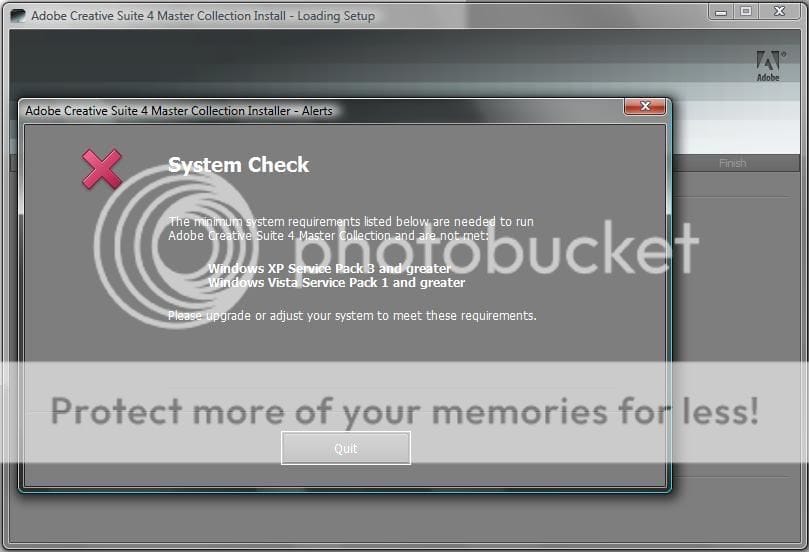


The Problem:
My windows Update tells me there are no more important updates only optional ones.

I checked the optional updates and there is nothing in there that has to do with service pack 1.

So i downloaded "Windows6.0-KB936330-X86-wave0.exe" that installs service pack 1

Execute it and it starts out all fine as if it was working.
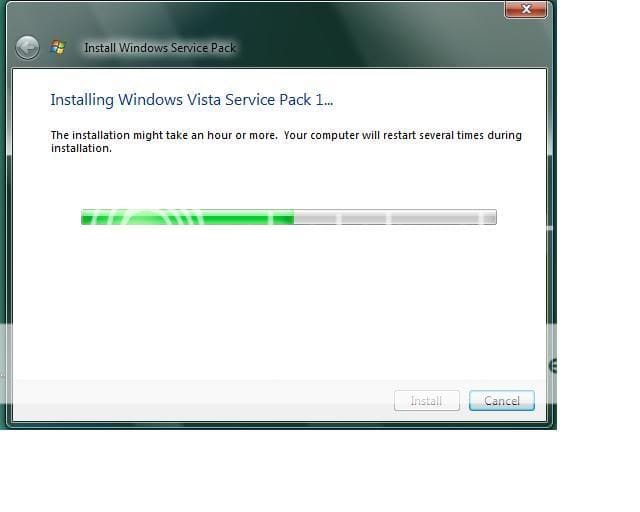

After a while this shows up.
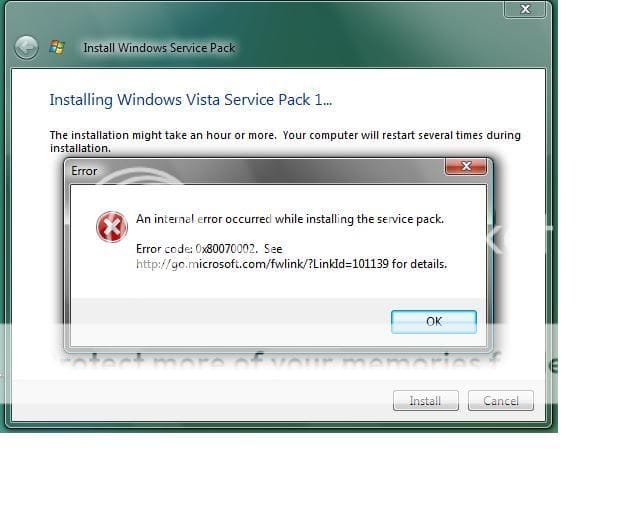


I've Checked with the microsoft site and tried closing programs, restarting then running it as soon vista starts, but nothing....

I hope i can fix my problem with help from you guys.

System : Intel Pentium D Processor 820
Ram: 4gb ddr2 dual channel ram.
hdd: 250 GB Sata
OS: Vista Ultimate 32 bit (Build 6000) (just posting as much info as i can) will post more if needed.

My System SpecsSystem Spec
Old 10-12-2009   #2 (permalink)


Vista 32 win 7 7600 32 bit


Re: Why cant I install service pack 1?

My System SpecsSystem Spec
Old 10-12-2009   #3 (permalink)


Vista Ultimate 32-bit


Re: Why cant I install service pack 1?

Thanks for the fast reply.

Ill try that soon. After i come back from grocery store.

WIll post results when i get back
My System SpecsSystem Spec
Old 10-13-2009   #4 (permalink)


Vista Bussiness x64 PL


Re: Why cant I install service pack 1?

If suggestions from post 2 don't help reset the whole WU components (use aggresive mode) How do I reset Windows Update components?
You can also try this An update is available to fix a Background Intelligent Transfer Service (BITS) crash on a Windows Vista-based computer
My System SpecsSystem Spec
Old 10-13-2009   #5 (permalink)


Vista Ultimate 32-bit


Re: Why cant I install service pack 1?

I tried it and when i go to the service window there is nothing that says "automatic updates". So i cant right click it and press stop.

Quote  Quote: Originally Posted by Flavius View Post
If suggestions from post 2 don't help reset the whole WU components (use aggresive mode) How do I reset Windows Update components?
You can also try this An update is available to fix a Background Intelligent Transfer Service (BITS) crash on a Windows Vista-based computer
That didnt work either tries both and nothing. Reset the WU (agressive) and non agressive.

Then tried the (BITS).. the programsays "(BITS) repair is not required currently."

My System SpecsSystem Spec
Old 10-13-2009   #6 (permalink)


Vista Bussiness x64 PL


Re: Why cant I install service pack 1?

Quote  Quote: Originally Posted by cruzer1234 View Post
I tried it and when i go to the service window there is nothing that says "automatic updates". So i cant right click it and press stop.
In Vista the service name "Windows Update" -this article is old but because you tried reset whole WU (KB971058) which do already automatically the problem must be in another thing.

Try below:

Run cmd.exe with administrative previlliges (right click on cmd.exe) as admin and type:

sfc /scannow

When it finish type in cmd.exe

findstr /c:"[SR]" %windir%\logs\cbs\cbs.log >%userprofile%\Desktop\sfcdetails.txt

on your desktop appear sfcdetails.txt

Download firegenul Altair Technologies Ltd.
place firegenul.exe in C:\Windows\System32

next again run cmd.exe with admin previlliges and type:

firegenul

it creates report from WindowsUpdate.log and is stored in C:\Windows\System32 as FireGenReport.htm

Download and run Readiness Tool Description of the System Update Readiness Tool for Windows Vista, for Windows Server 2008, and for Windows 7
This tool create CheckSur.log file in C:\Windows\Logs\CBS

If nothing from above help you files
FireGenReport.htm,sfcdetails.txt and CheckSur.log pack and attache to post
My System SpecsSystem Spec
Reply

Thread Tools


Similar Threads
Thread Forum
NEED HELP.. Service pack 1 won't install Windows Updates
SERVICE PACK 1 INSTALL Vista file management
Service pack won't install Vista General
Service Pack Install Vista General
Service Pack Install Vista installation & setup


Vista Forums is an independent web site and has not been authorized,
sponsored, or otherwise approved by Microsoft Corporation.
"Windows Vista", the Start Orb, and related materials are trademarks of Microsoft Corp.
© Designer Media Ltd

1 2 3 4 5 6 7 8 9 10 11 12 13 14 15 16 17 18 19 20 21 22 23 24 25 26 27 28 29 30 31 32 33 34 35 36 37 38 39 40 41 42 43 44 45 46