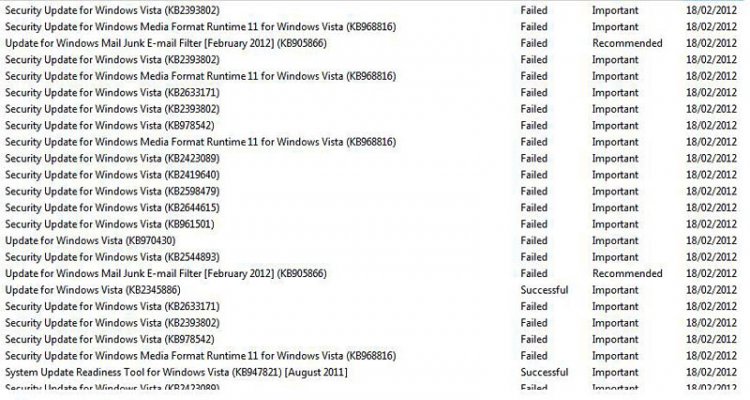
I am running Vista Home Premium, but having trouble with some updates. Just used Reimage repair this morning to try and correct things. After taking about three quarters of an hour repairing the computer it could not upload the updates itself and told me to do it manually which I did. Just over 100 updates loaded OK, but about 8 did not and now no further updates will load either. The updates that will not upload give various Error Codes:-
80073712
8E5E0147
80070490
I found the System Update Readiness Tool for 32bit Vista and downloaded that (twice) from Microsoft's site as it said it corrected such update problems. However when I tried to run that it produced the following error code:-
0x8007000d
I have just run Reimage again to check and it says there are no problems on my computer!
Keep the answers simple as I am merely a computer user not a techie.
Many Thanks.
Dave
80073712
8E5E0147
80070490
I found the System Update Readiness Tool for 32bit Vista and downloaded that (twice) from Microsoft's site as it said it corrected such update problems. However when I tried to run that it produced the following error code:-
0x8007000d
I have just run Reimage again to check and it says there are no problems on my computer!
Keep the answers simple as I am merely a computer user not a techie.
Many Thanks.
Dave