
adityagarg0311
New Member
Hii..
My Bluetooth icon appear on the notification bar and get disappear on its own, which bring my system to stand still.
this continues for hours some times. I have tried lot many things to get ridd off it.. Eg-- re-installing my windows etc. but of no consequence. Plzz help me to get ridd of it.
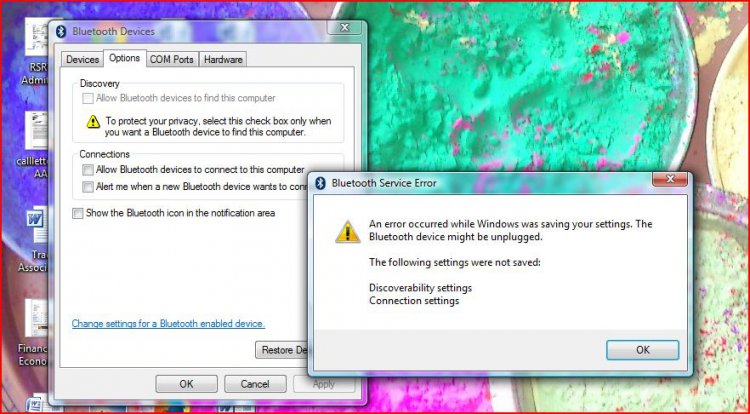
I have also tried to change setting through control panel but i does not allow me to do so and following message appears:
Details -- Window Vista Home Premium 32 bit.
My Bluetooth icon appear on the notification bar and get disappear on its own, which bring my system to stand still.
this continues for hours some times. I have tried lot many things to get ridd off it.. Eg-- re-installing my windows etc. but of no consequence. Plzz help me to get ridd of it.
I have also tried to change setting through control panel but i does not allow me to do so and following message appears:
Details -- Window Vista Home Premium 32 bit.
My Computer
System One
-
- Memory
- 1 GB
