Sorry Folks, but the Vista saga isn't over!

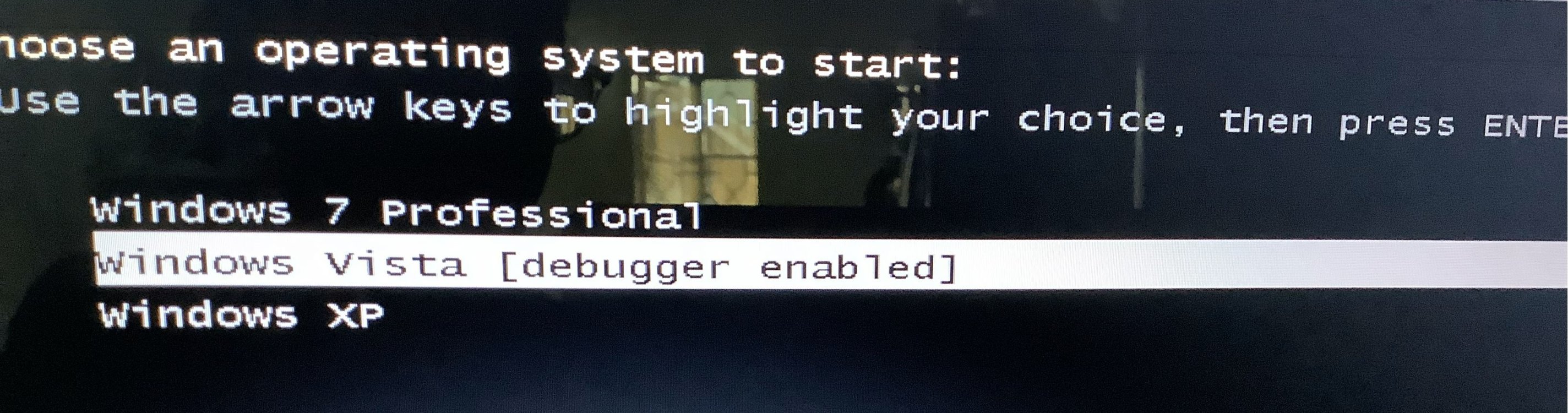
Yep, its not over yet! ChatGPT and I were doing some debugging, and we were at least able to ImageX the vista files:
IMG_8457.jpg

And make it bootable:
IMG_8458.jpg

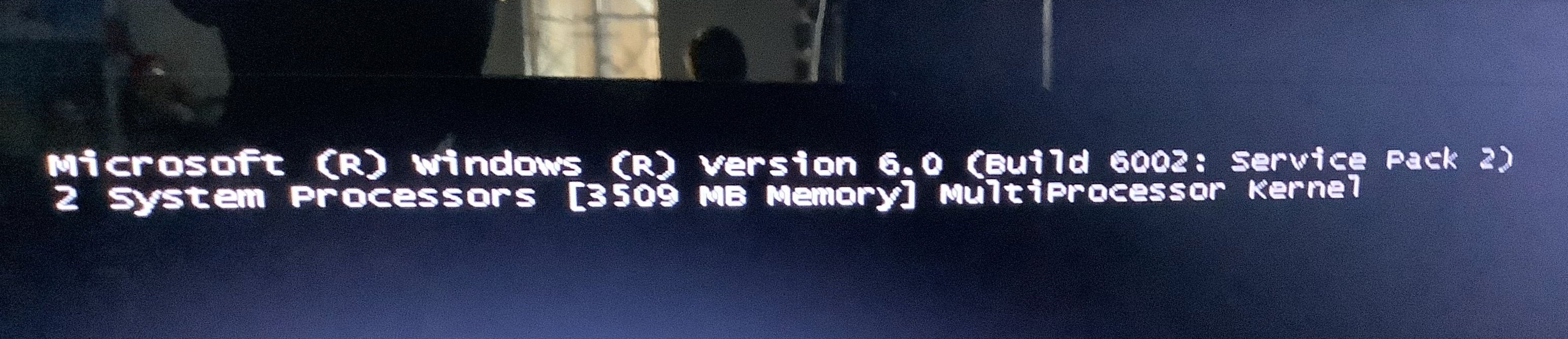
But we are not quite to desktop yet, but at least it's not a black screen anymore:D::
IMG_8467.jpg
As you can see from the image above, it loads drivers (I was not able to provide, as Vista Forums said it was too big), until it freezes at the kernel screen.

Fixes we tried:
Modifying the SYSTEM hive
A million BCD edits


Info
Diskpart Reads the Vista Partition as Partition 2


As always, thank you for your help!
 

My Computers

System One System Two

  • Operating System
    Windows XP/Vista/7
    Manufacturer/Model
    Samsung RV511
    CPU
    Intel
    Monitor(s) Displays
    Laptop Monitor
    Case
    N/A
    Mouse
    Dell
    Keyboard
    Built-in
    Internet Speed
    Excellent
  • Operating System
    Windows 11
    Manufacturer/Model
    Asus
    CPU
    intel
    Cooling
    N/A
    Mouse
    Dell
    Keyboard
    Built-in
    Internet Speed
    Excellent
UPDATE: this is where vista stops (as chatgpt quotes):
Code:
Vista Boot Sequence (observed)

[ BIOS / POST ]
      |
      v
[ Bootloader (BCD / Winload.exe) ]
      |
      v
[ Kernel Loads ] -------------------------> "Microsoft (R) Windows Version 6.0 Build 6002..."
      |
      v
[ Core Drivers Load ]
    kdcom.dll
    CLFS.SYS
    CI.dll
    Wdf01000.sys
    WDFLDR.SYS
    acpi.sys
    WMILIB.sys
    msisadrv.sys
    pci.sys
    isapnp.sys
      |
      v
[ Disk / Volume Drivers Load ]
    mpio.sys
    partmgr.sys
    volmgr.sys
    volmgrx.sys
    intelide.sys
    pciidex.sys
    aliide.sys
    amdide.sys
    cmdide.sys
      |
      v
[ Storage / RAID / SCSI Drivers Load ]
    compbatt.sys
    battc.sys
    mountmgr.sys
    msdsm.sys
    nvraid.sys
    CLASSPNP.sys
    lsi_scsi.sys
    storport.sys
    hpcisss.sys
    adp94xx.sys
    adpahci.sys
    adpu160m.sys
    SCSIPORT.sys
    adpu320.sys
    djsvs.sys
    arc.sys
    arcsas.sys
    elxstor.sys
      |
      v
[ Kernel Handoff to SMSS ] -----------------> ❌ FREEZE / BLACK SCREEN
      |
      v
[ User-mode Session Manager (SMSS.exe) ] ----> ❌ never starts
      |
      v
[ Desktop / Explorer ] --------------------> ❌ never reached
 

My Computers

System One System Two

  • Operating System
    Windows XP/Vista/7
    Manufacturer/Model
    Samsung RV511
    CPU
    Intel
    Monitor(s) Displays
    Laptop Monitor
    Case
    N/A
    Mouse
    Dell
    Keyboard
    Built-in
    Internet Speed
    Excellent
  • Operating System
    Windows 11
    Manufacturer/Model
    Asus
    CPU
    intel
    Cooling
    N/A
    Mouse
    Dell
    Keyboard
    Built-in
    Internet Speed
    Excellent
UPDATE: Trying Finnix, hopefully ChatGPT and I will fix this
 

My Computers

System One System Two

  • Operating System
    Windows XP/Vista/7
    Manufacturer/Model
    Samsung RV511
    CPU
    Intel
    Monitor(s) Displays
    Laptop Monitor
    Case
    N/A
    Mouse
    Dell
    Keyboard
    Built-in
    Internet Speed
    Excellent
  • Operating System
    Windows 11
    Manufacturer/Model
    Asus
    CPU
    intel
    Cooling
    N/A
    Mouse
    Dell
    Keyboard
    Built-in
    Internet Speed
    Excellent
UPDATE: chatgpt said that it and I have verified ALL hardware-causes are not cause of the screen, but maybe i can get your help
 

My Computers

System One System Two

  • Operating System
    Windows XP/Vista/7
    Manufacturer/Model
    Samsung RV511
    CPU
    Intel
    Monitor(s) Displays
    Laptop Monitor
    Case
    N/A
    Mouse
    Dell
    Keyboard
    Built-in
    Internet Speed
    Excellent
  • Operating System
    Windows 11
    Manufacturer/Model
    Asus
    CPU
    intel
    Cooling
    N/A
    Mouse
    Dell
    Keyboard
    Built-in
    Internet Speed
    Excellent
Back
Top