Windows Vista Forums
Vista Forums Home Join Vista Forums Windows 7 help and support Forum Vista Tutorials Tags
Welcome to Windows Vista Forums. Our forum is dedicated to helping you find solutions with any problems, errors or issues you are experiencing with Windows Vista. The Vista forum also covers news and updates and has an extensive Windows Vista tutorial section that covers a wide range of tips and tricks.


Go Back   Vista Forums > Vista Forums > General Discussion

RB

Vista - Problem Event Name: BlueScreen

Reply
 
08-26-2009   #1 (permalink)


Vista x 64


Problem Event Name: BlueScreen

Hello!

I am a new Vista (x64) user and when I woke up this morning this was going on. Can someone please help me resolve this issue, I rely on my computer to run my home business. I appreciate your swift action. When I bring it up in safe mode and ask for the prompt to find solutions, nothing happens.

Thanks!

Problem signature:
Problem Event Name: BlueScreen
OS Version: 6.0.6001.2.1.0.768.3
Locale ID: 1033
Additional information about the problem:
BCCode: 1000007e
BCP1: FFFFFFFFC0000005
BCP2: FFFFF800027E5B81
BCP3: FFFFFA60057EC798
BCP4: FFFFFA60057EC170
OS Version: 6_0_6001
Service Pack: 1_0
Product: 768_1
Files that help describe the problem:
C:\Windows\Minidump\Mini082609-99.dmp
C:\Users\Jeff Burroughs\AppData\Local\Temp\WER-82072-0.sysdata.xml
C:\Users\Jeff Burroughs\AppData\Local\Temp\WERE71.tmp.version.txt
Read our privacy statement:
http://go.microsoft.com/fwlink/?link...3&clcid=0x0409

My System SpecsSystem Spec
08-26-2009   #2 (permalink)


Vista 32 win 7 7600 32 bit
NY USA


Re: Problem Event Name: BlueScreen

Quote: Originally Posted by jeffy41 View Post
Hello!

I am a new Vista (x64) user and when I woke up this morning this was going on. Can someone please help me resolve this issue, I rely on my computer to run my home business. I appreciate your swift action. When I bring it up in safe mode and ask for the prompt to find solutions, nothing happens.

Thanks!

Problem signature:
Problem Event Name: BlueScreen
OS Version: 6.0.6001.2.1.0.768.3
Locale ID: 1033
Additional information about the problem:
BCCode: 1000007e
BCP1: FFFFFFFFC0000005
BCP2: FFFFF800027E5B81
BCP3: FFFFFA60057EC798
BCP4: FFFFFA60057EC170
OS Version: 6_0_6001
Service Pack: 1_0
Product: 768_1
Files that help describe the problem:
C:\Windows\Minidump\Mini082609-99.dmp
C:\Users\Jeff Burroughs\AppData\Local\Temp\WER-82072-0.sysdata.xml
C:\Users\Jeff Burroughs\AppData\Local\Temp\WERE71.tmp.version.txt
Read our privacy statement:
Microsoft Online Crash Analysis
Jeff

Hey there

Could you go into c:\windows\minidump zip the dump file (*.dmp) and upload it to us here. Let us know if you need help with the uploading

Ken
My System SpecsSystem Spec
08-27-2009   #3 (permalink)


Vista x 64


Re: Problem Event Name: BlueScreen

Ken Thanks so much for you help!

I found the miniDump folder but there is no zip file. Do you want me to zip all the files in that folder together? there are approximately 100 files in that folder.
My System SpecsSystem Spec
08-27-2009   #4 (permalink)


Vista 32 win 7 7600 32 bit
NY USA


Re: Problem Event Name: BlueScreen

Quote: Originally Posted by jeffy41 View Post
Ken Thanks so much for you help!

I found the miniDump folder but there is no zip file. Do you want me to zip all the files in that folder together? there are approximately 100 files in that folder.
Jeff
Just take the most recent couple and zip them then upload. If you have 100 BSOD dumps you have a problem


Ken
My System SpecsSystem Spec
08-27-2009   #5 (permalink)


Vista x 64


Re: Problem Event Name: BlueScreen

Ken

I went ahead and attached the zip file of the minidump folder. I included all the files that were in that folder.

I appreciate all your help!

Thanks,

Jeff
Attached Files
File Type: zip jeff_minidump.zip (2.09 MB, 79 views)
My System SpecsSystem Spec
08-27-2009   #6 (permalink)


Vista x 64


Re: Problem Event Name: BlueScreen

Quote: Originally Posted by zigzag3143 View Post
Quote: Originally Posted by jeffy41 View Post
Ken Thanks so much for you help!

I found the miniDump folder but there is no zip file. Do you want me to zip all the files in that folder together? there are approximately 100 files in that folder.
Jeff
Just take the most recent couple and zip them then upload. If you have 100 BSOD dumps you have a problem


Ken
I think this bluescreen error happened while I was asleep so I couldn't turn off my computer of deal with it in time. I think my computer just kept resetting itself until I turned my computer off and then tried to log in under normal mode to uninstall my iTunes (the only recent program to have been installed lately).
My System SpecsSystem Spec
08-27-2009   #7 (permalink)


Vista 32 win 7 7600 32 bit
NY USA


Re: Problem Event Name: BlueScreen

Quote: Originally Posted by jeffy41 View Post
Ken

I went ahead and attached the zip file of the minidump folder. I included all the files that were in that folder.

I appreciate all your help!

Thanks,

Jeff
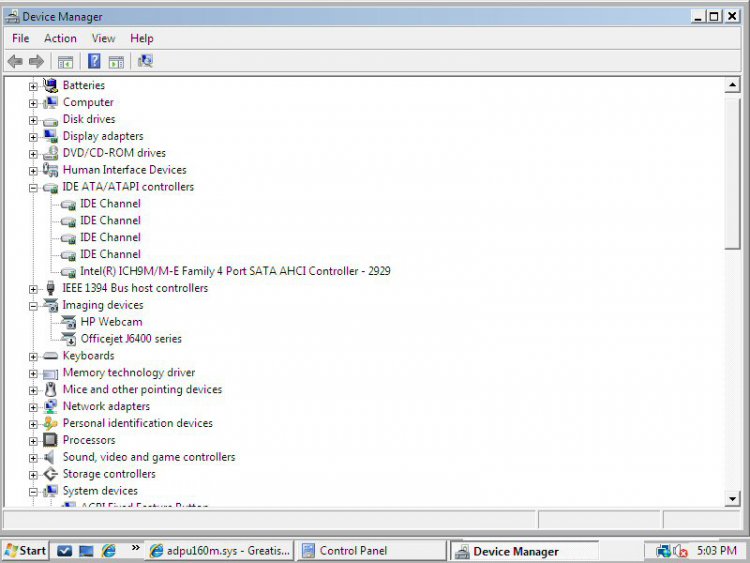
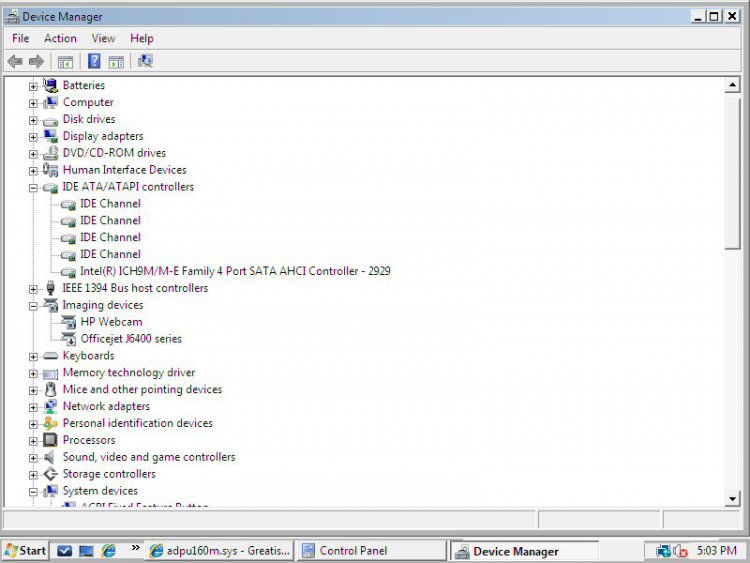
Jeff While waiting for someone with a true debugger I took a quick look at the last 3 dumps. they all list adpu160m.sys file as the faulting file. that file is used by the adeaptec driver. you can read abt it here adpu160m.sys - Greatis Software . Im thinking you have an adaptec controller (RAID?) that is giving you grief.

Best bet while you are waiting for a true read. If the adaptec is a raid driver get the newest driver you can find (even vista if nec). Not sure if you are 32bit or 64 but get the right driver and you may even have to install it in the compatability mode (right-click compat tab)

Hope this helps

Ken
My System SpecsSystem Spec
08-27-2009   #8 (permalink)


Vista x 64


Re: Problem Event Name: BlueScreen

Hey Ken!

Thanks!

I checked out the link you provided and honestly I am unfamilar with this driver. (adpu160m.sys - Greatis Software)

How do I find out it which RAID adaptec controller I have and do I find the drivers on the download section of VISTA? Also, I'm 64bit.

I apologize for my lack of knowledge in this area.
My System SpecsSystem Spec
08-27-2009   #9 (permalink)


Vista 32 win 7 7600 32 bit
NY USA


Re: Problem Event Name: BlueScreen

Quote: Originally Posted by jeffy41 View Post
Hey Ken!

Thanks!

I checked out the link you provided and honestly I am unfamilar with this driver. (adpu160m.sys - Greatis Software)

How do I find out it which RAID adaptec controller I have and do I find the drivers on the download section of VISTA? Also, I'm 64bit.

I apologize for my lack of knowledge in this area.
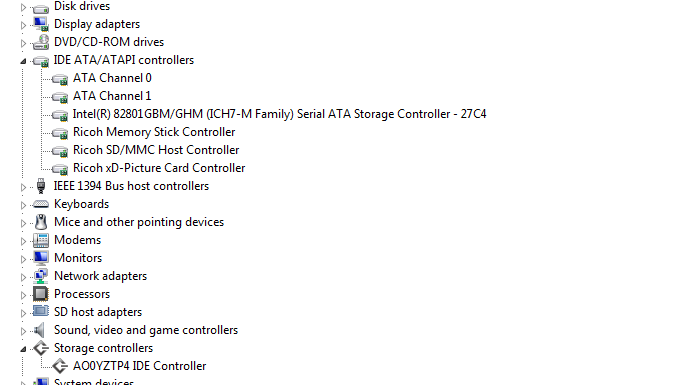
Dont worry we all started with little knoweldge. you can type device manager in search and goto the controller tab. right click and get properties. If there is an "unknown" device with a yellow triangle that needs a driver

Hope this helps

Ken
Attached Images
File Type: png Capture.PNG (31.1 KB, 85 views)
My System SpecsSystem Spec
08-27-2009   #10 (permalink)


Vista x 64


Re: Problem Event Name: BlueScreen

[QUOTE=zigzag3143;1121955]
Quote: Originally Posted by jeffy41 View Post
Hey Ken!


Dont worry we all started with little knoweldge. you can type device manager in search and goto the controller tab. right click and get properties. If there is an "unknown" device with a yellow triangle that needs a driver

Hope this helps

Ken

Hey Ken!

I went into the Device Manager and checked everything just to be certain. The only thing that had a yellow caution sign was under the System Devices tap for the Consumer IR Devices. I tried to "update the driver automatically", but it said it was up-to-date and tried to "check for solutions", but nothing came up.

Properties:

Consumer IR Devices

Device Type: System Devices
Manufacturer: Microsoft
Location: Unknown

Device Status: This device is not working properly because Windows cannot load the drivers required for this device. (Code 31)
Click 'Check for solutions' to send data about this device to Microsoft and to see if there is a solution available.

Driver files: DRIVERS/circlass.sys
My System SpecsSystem Spec
Reply

Thread Tools


Similar Threads for: Problem Event Name: BlueScreen
Thread Forum
Problem Event Name: BlueScreen Crashes and Debugging
Problem Event Name: BlueScreen - on Vista Home Premium General Discussion
Problem Event Name: BlueScreen Vista performance & maintenance
Problem Event Name: BlueScreen Vista General


Vista Forums is an independent web site and has not been authorized,
sponsored, or otherwise approved by Microsoft Corporation.
"Windows Vista", the Start Orb, and related materials are trademarks of Microsoft Corp.
© Designer Media Ltd

1 2 3 4 5 6 7 8 9 10 11 12 13 14 15 16 17 18 19 20 21 22 23 24 25 26 27 28 29 30 31 32 33 34 35 36 37 38 39 40 41 42 43 44 45 46 47 48 49 50 51