Starting yesterday I haven't been able to connect to my network via Ethernet.
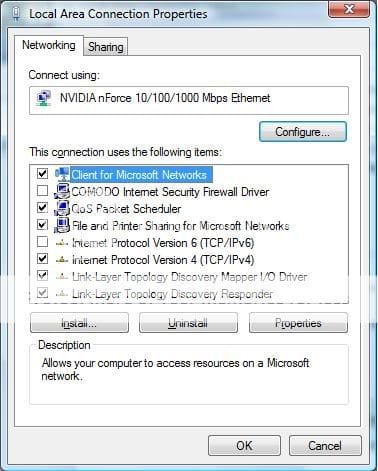
I'm using the onboard network adapter from my ASUS M2N32-SLI Deluxe mobo and Vista Ultimate 64 Bit. Under device manager my network adapter is NVIDIA nforce 10/100/1000 Mbps Ethernet. That's a generic name, I checked my mobo specs and it's specifically a NVIDIA nForce 590 SLI MCP. I have the latest driver which is 67.8.9.0. My router is a Linksys WRT54GSv4.
I want to use a dynamic address, I have a static IP set up on my wireless and that's working fine right now. But I can't connect using either of my Ethernet ports. I've switched ports on my router, but my 360 connects no problem so I don't think it's the router.
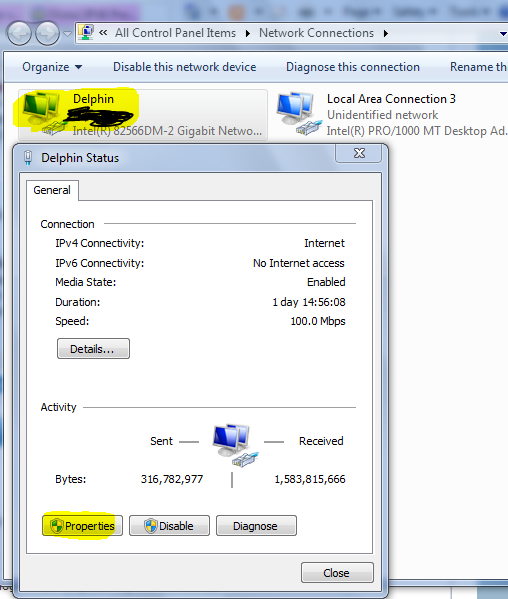
Under network connections my Local Area Connection is stuck on "Identifying..." If I double click it and click details I have no default gateway. Belarc Advisor tells me DHCP Server: none responded.
I've been researching the problem as much as I can. So my DHCP Client Service Won't Start, I get Error 1068 Which is the dependency services or group failed to start. The dependencies I have for the DHCP Client Service are
Ancillary Function Driver for Winsock
NetIO Legacy TDI Support Driver > TCP/IP Protocal Driver
Network Store Interface Service> NSI proxy service
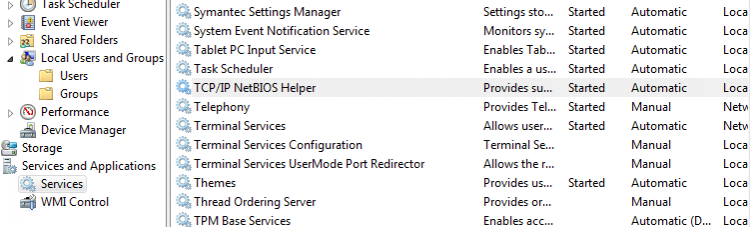
Under services I can see that Network Store Interface Service is running. I ftyped net start AFD on cmd I was told that the service is already running. So that leaves TCP/IP, but I am able to ping 127.0.01 so I don't know what the problem could be here.
I'm using the onboard network adapter from my ASUS M2N32-SLI Deluxe mobo and Vista Ultimate 64 Bit. Under device manager my network adapter is NVIDIA nforce 10/100/1000 Mbps Ethernet. That's a generic name, I checked my mobo specs and it's specifically a NVIDIA nForce 590 SLI MCP. I have the latest driver which is 67.8.9.0. My router is a Linksys WRT54GSv4.
I want to use a dynamic address, I have a static IP set up on my wireless and that's working fine right now. But I can't connect using either of my Ethernet ports. I've switched ports on my router, but my 360 connects no problem so I don't think it's the router.
Under network connections my Local Area Connection is stuck on "Identifying..." If I double click it and click details I have no default gateway. Belarc Advisor tells me DHCP Server: none responded.
I've been researching the problem as much as I can. So my DHCP Client Service Won't Start, I get Error 1068 Which is the dependency services or group failed to start. The dependencies I have for the DHCP Client Service are
Ancillary Function Driver for Winsock
NetIO Legacy TDI Support Driver > TCP/IP Protocal Driver
Network Store Interface Service> NSI proxy service
Under services I can see that Network Store Interface Service is running. I ftyped net start AFD on cmd I was told that the service is already running. So that leaves TCP/IP, but I am able to ping 127.0.01 so I don't know what the problem could be here.
My Computer
System One
-
- CPU
- 2.8 GHz AMD Athlon 64 x2
- Motherboard
- ASUS M2N32-SLI Deluxe
- Memory
- 2 GB
- Graphics card(s)
- NVIDIA GeForce 8800 GTS
- Monitor(s) Displays
- LG 20"
- Screen Resolution
- 1680 x 1050
- Hard Drives
- 1TB, 500 GB, 320 GB
- Mouse
- Microsoft Comfort Optical Mouse 3000
- Keyboard
- Logitech Classic