How To Make Vista more Responsive and Faster
 Information
Many people are having a problem in regards to either a slow boot up, or that windows is slow to load Programs.
I am using a SATA RAID 0 config, and even with 4GB of ram This can result in heavy fragmentation over two drives, and a slow system- especially after recording tv on MCE or any other activity that writes large files to disk.
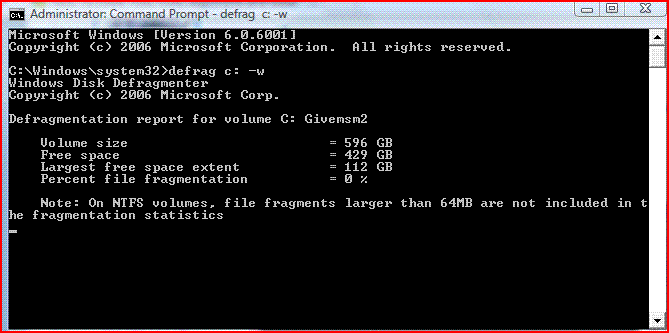
Deframenting speeds up the system dramatically, BUT using the default defragmenter doesn't defrag file fragments bigger than 64MB or even include them in the fragmentation statistics
When you have file fragments for one program scattered all over your hard drive, it takes time to recompile them in order to execute the program/data in question. Consolidating all file fragments regardless of their size will result in faster access and execution. Now multiply this by hundreds of thousands of individual file fragments that the cpu must recompile to execute in proper sequence per Windows or User command at the same time. I have seen the GUI show 0% fragmentation where the -w command will show 10% fragmentation on a 640GB SATA RAID 0 drive- thats alot of little individual file fragments scattered over a modest size drive...
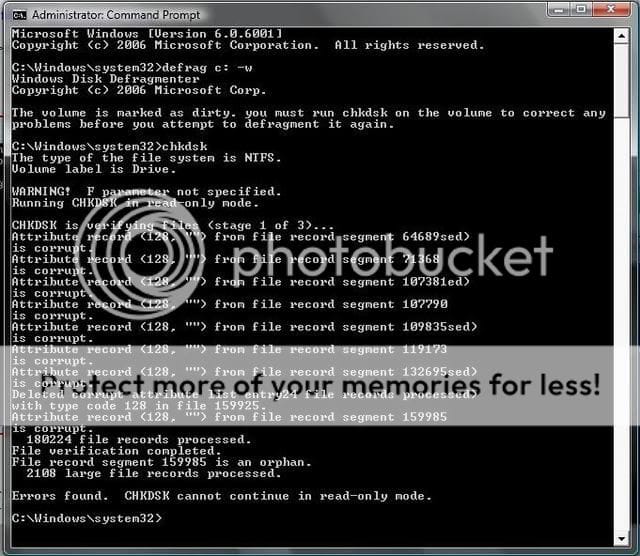
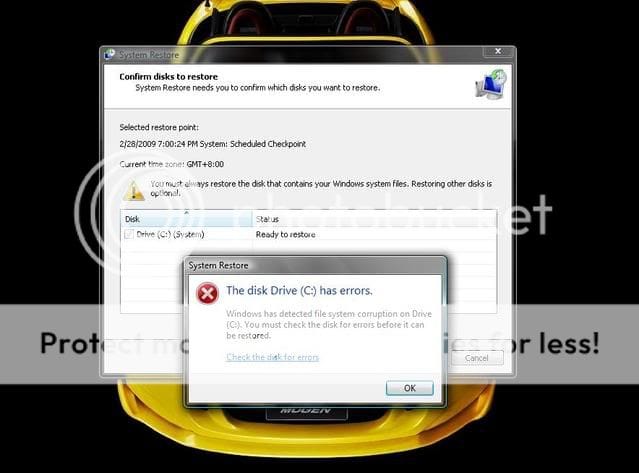
But this is only part of the problem, now add into the equation file system errors, bad sectors on the disk, and attribute record (NTFS Directory) corruption...and even the fastest system will slow to a crawl over time.
I am using a SATA RAID 0 config, and even with 4GB of ram This can result in heavy fragmentation over two drives, and a slow system- especially after recording tv on MCE or any other activity that writes large files to disk.
Deframenting speeds up the system dramatically, BUT using the default defragmenter doesn't defrag file fragments bigger than 64MB or even include them in the fragmentation statistics
When you have file fragments for one program scattered all over your hard drive, it takes time to recompile them in order to execute the program/data in question. Consolidating all file fragments regardless of their size will result in faster access and execution. Now multiply this by hundreds of thousands of individual file fragments that the cpu must recompile to execute in proper sequence per Windows or User command at the same time. I have seen the GUI show 0% fragmentation where the -w command will show 10% fragmentation on a 640GB SATA RAID 0 drive- thats alot of little individual file fragments scattered over a modest size drive...
But this is only part of the problem, now add into the equation file system errors, bad sectors on the disk, and attribute record (NTFS Directory) corruption...and even the fastest system will slow to a crawl over time.
two steps to a faster system:
(Diskcheck can be scheduled at same time as defrag is running, and will commence upon reboot of system)
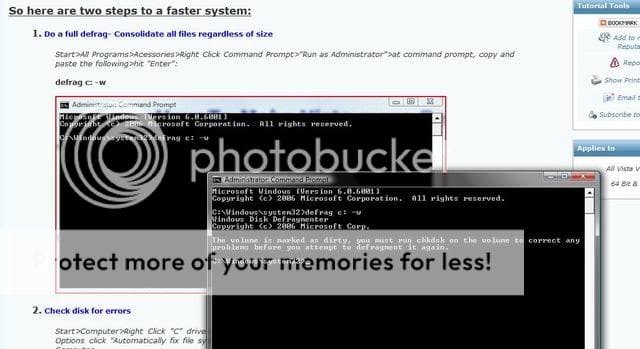
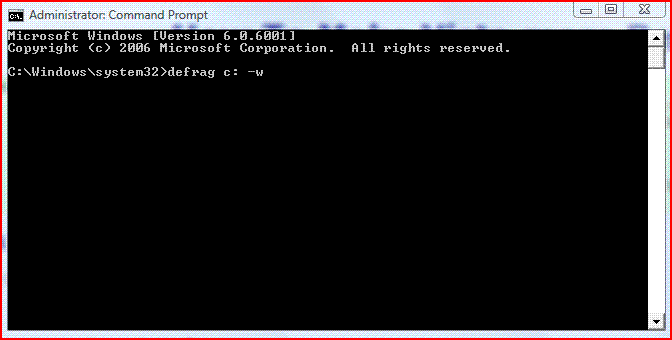
1. Do a full defrag- Consolidate all file fragments regardless of size (-w)
Start>All Programs>Acessories>Right Click Command Prompt>"Run as Administrator">at command prompt, copy and paste the following>hit "Enter": (or just type cmd in search at start, right click program "run as administrator")
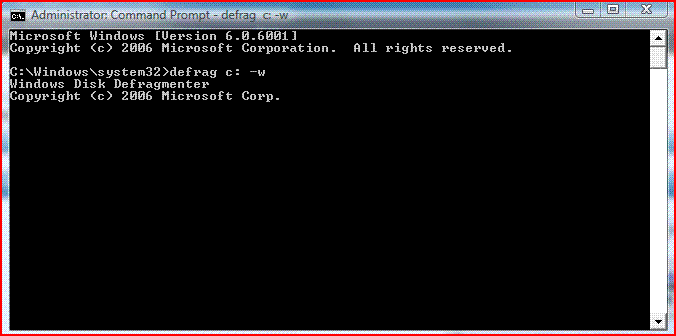
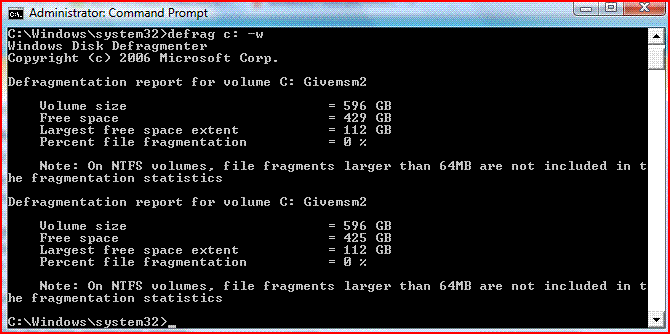
(Do not close command (cmd) screen-flashing cursor in empty space indicates defrag running. see note below or page 2 of this tutorial (second post from bottom to see screen shots of the 3 defrag stages))
defrag c: -w
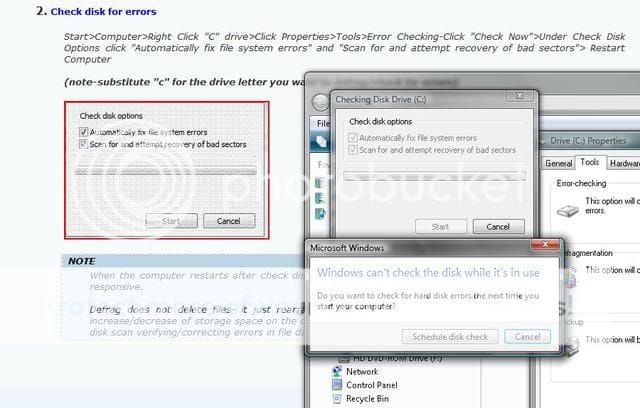
2. Check disk for errors
Start>Computer>Right Click "C" drive>Click Properties>Tools>Error Checking-Click "Check Now">Under Check Disk Options click "Automatically fix file system errors" and "Scan for and attempt recovery of bad sectors"> Restart Computer
(note-substitute "c" for the drive letter you want to defrag/check for errors)

 Note
NoteWhen the computer restarts after check disk, you will notice that the system is much faster and more responsive.
Note
Do not close the "Administrator:Command Prompt" window untill defrag is complete, or it will abort (wait until you see flashing cursor at C:\Windows\system32>_)
Defrag does not delete files- it just rearranges them on the drive and consolidates. If you notice increase/decrease of storage space on the drive, It can probably most likely be attributed to the Check Disk scan verifying/correcting errors in file data and free space, and/or bad sectors recovered, or marked as "unrecoverable" on the disk. See scan results for more info upon completion of Disk Check.
If your Disk is marked as "Dirty" see Method 3 here: Check Disk - chkdsk
Attachments
Last edited by a moderator: