
How to Rename the Vista Guest Account
 Information
This will show you how to rename the default Guest account name to a name you like instead to be displayed in the log on screen and Start menu in Vista. You can have better security by not using the same default name as everyone else to log in with.
 Tip
TipWhen you change a name of a user account, the original name is still tied to that account even though the new name is displayed in the Start menu and at log on. So you will not be able to use both names to rename another account with without deleting the other account that already has the name.
- If you have ever turned on the Guest account before changing the name, then the C:\Users\Guest folder will be the default folder name and cannot be changed again without a clean reinstall.
- If you change the default Guest account name before ever turning on the Guest account, then the C:\Users\(renamed Guest) folder will be the default folder name and cannot be changed again without a clean reinstall.
 Warning
- You will need to be logged on to an administrator account to do these options below.
- The options in this tutorial will only be available in the Vista Business, Ultimate, and Enterpise editions. You will not have them available in the Vista Home Basic and Home Premium editions.
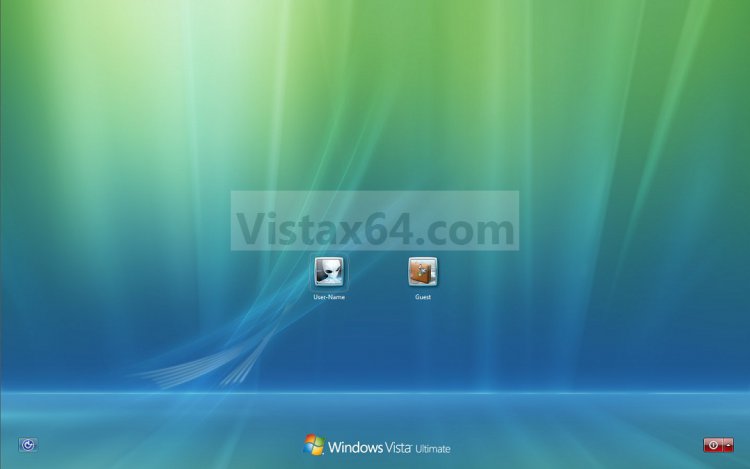
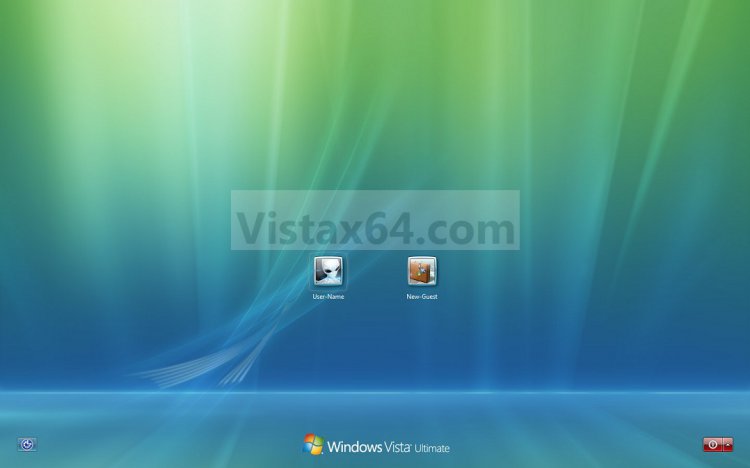
EXAMPLE: Guest Account at Log on
NOTE: Top screenshot is the default name, and bottom screenshot is renamed.
 OPTION ONE
1. Open the Local Security Policy editor.
2. In the left pane, expand Local Policies, and click on Security Options. (See screenshot below)
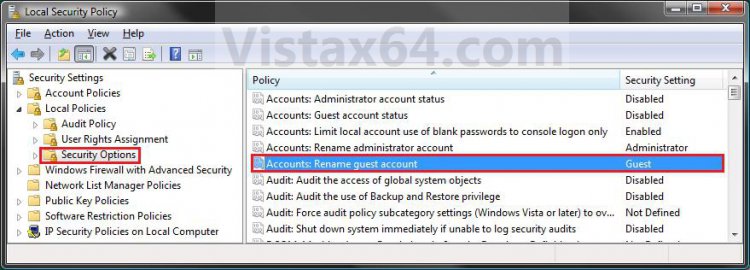
3. In the right pane, right click on Accounts: Rename guest account and click on Properties. (See screenshot above)
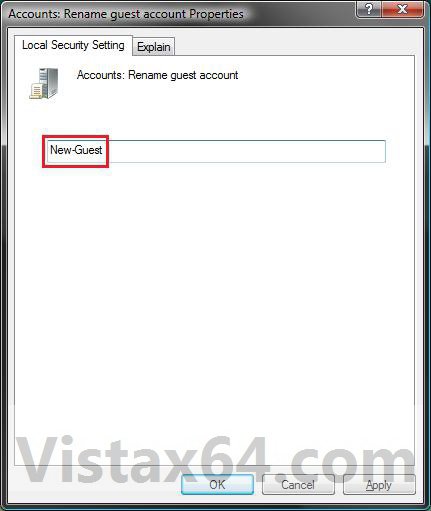
4. Type in a name you want instead that has not ever been used by any other user account on the computer, and click on OK. (See screenshot below)
5. Close the Local Security Policy window. (See screenshot below step 2)
6. If you have turned on the Guest account, then you can log off or switch users to see it's log on icon with the new name in the log on screen. (See screeenshot below)
OPTION TWO 1. Open the Local Users and Groups manager.
2. In the left pane click on Users. (See screenshot below)
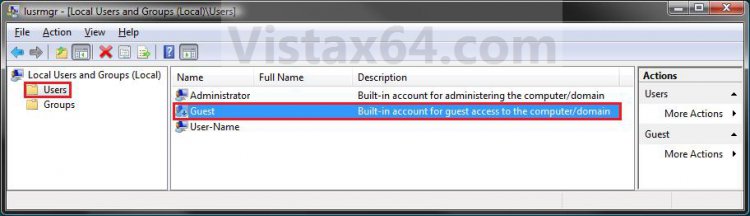
3. In the right pane, right click on Guest and click on Properties. (See screenshot above)
4. In the General tab and to the right of Full name, type in a name you want instead that has not been used by any other user on the computer and click on OK. (See screenshot below)
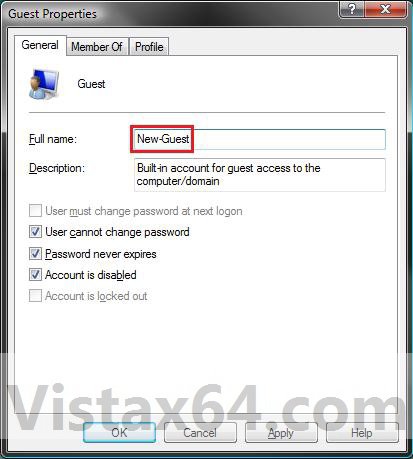
5. Close Local Users and Groups window. (See screenshot below step 2)
6. If you like, you can log off or switch users to see it's log on icon with the new name in the log on screen. (See screeenshot below)
That's it,
Shawn
Attachments

Last edited: