

ZDK
Member
I was running Vista Ultimate SP2 x64 for a long time on my laptop, few days ago I decided to try few different editions of Vista to test the battery life, every time I wiped the SSD and installed them on the unallocated volume, and everything installed smooth. Then I also installed Windows 7 and it all worked great.
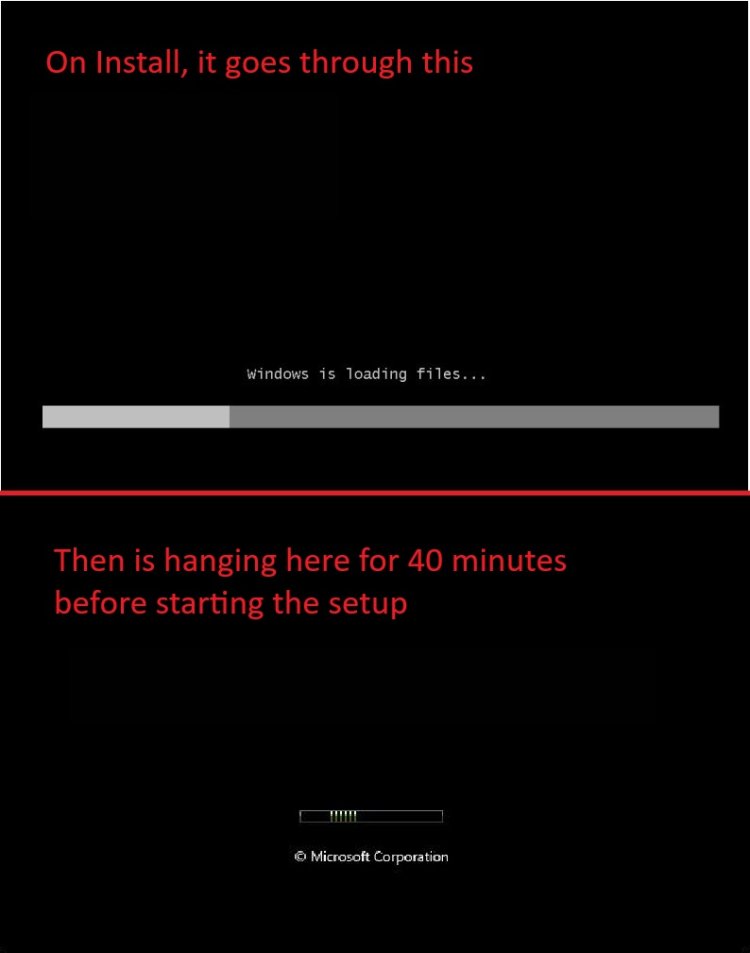
When I wanted to install again Vista 2 days ago for some reason is refusing to install/run correctly, after loading the files into the RAM, it stays in on the boot screen for 40 minutes without any disk activity, then during the setup every restart takes around 40 minutes.
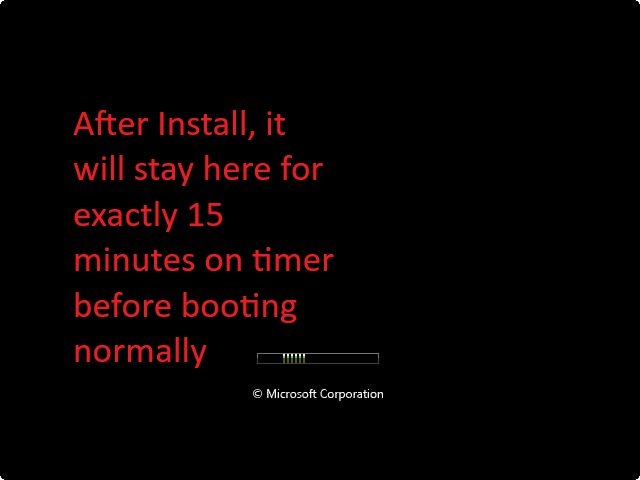
After finally installing when I am on the desktop, the subsequent restarts will always take 15 minutes exactly, it will stay in the boot screen for exactly 15 minutes without any disk activity then finally deciding to boot. If I make it to the desktop, the system is behaving normally, 0% CPU utilization, 500MB RAM usage, is super fast etc.
I literally tried everything I could think of, I do not understand why this issue happens all of the sudden.
Note: If I am trying to install XP, 7, 8, 10 they all boot and install normally and work great, the only problem I have is Vista (which used to work fine until recently for some reason).
Note2: The SSD health is good, and even if I put another SSD into that laptop the result is the same.
What I tried:
20 different ISO images with different Vista editions and 5 different USB drives (formatted non-UEFI, classic BIOS as usual), exactly the same result.
1. Disabled superfetch, LanmanServer etc.
2. Physically removing the SSD, putting it into another machine, install Vista there (without any issue), then putting it back. Same issue, stuck in boot screen for exactly 15 minutes.
3. Installing Vista on the SSD with Rufus “Windows to Go” feature, same result.
4. Installing all drivers (and different versions) and fully updating it through the Legacy Update. (Since it hangs for exactly 15 minutes, I figured is something that is trying to load and fails, and is waiting for it to time up and only after is timing up is starting to boot.) However, installing the drivers and updates did not help.
5. Removing all peripherals (just the mouse) so there is no loop due to that. Same result.
6. Tried different partitioning methods with Gparted etc, still nothing.
No matter what I try, the result will always be the same. My theory is that Vista is trying to load something which fails and is waiting for it to time out before start booting. But I don’t know what and why.
Few days ago, I could install it just fine and nothing in my hardware configuration changed since then, and if I try any other OS from XP to 10, all install and run correctly. I honestly don’t know what else can I do, I would appreciate some suggestions, I really need some help.
Thank you and merry Christmas.
When I wanted to install again Vista 2 days ago for some reason is refusing to install/run correctly, after loading the files into the RAM, it stays in on the boot screen for 40 minutes without any disk activity, then during the setup every restart takes around 40 minutes.
After finally installing when I am on the desktop, the subsequent restarts will always take 15 minutes exactly, it will stay in the boot screen for exactly 15 minutes without any disk activity then finally deciding to boot. If I make it to the desktop, the system is behaving normally, 0% CPU utilization, 500MB RAM usage, is super fast etc.
I literally tried everything I could think of, I do not understand why this issue happens all of the sudden.
Note: If I am trying to install XP, 7, 8, 10 they all boot and install normally and work great, the only problem I have is Vista (which used to work fine until recently for some reason).
Note2: The SSD health is good, and even if I put another SSD into that laptop the result is the same.
What I tried:
20 different ISO images with different Vista editions and 5 different USB drives (formatted non-UEFI, classic BIOS as usual), exactly the same result.
1. Disabled superfetch, LanmanServer etc.
2. Physically removing the SSD, putting it into another machine, install Vista there (without any issue), then putting it back. Same issue, stuck in boot screen for exactly 15 minutes.
3. Installing Vista on the SSD with Rufus “Windows to Go” feature, same result.
4. Installing all drivers (and different versions) and fully updating it through the Legacy Update. (Since it hangs for exactly 15 minutes, I figured is something that is trying to load and fails, and is waiting for it to time up and only after is timing up is starting to boot.) However, installing the drivers and updates did not help.
5. Removing all peripherals (just the mouse) so there is no loop due to that. Same result.
6. Tried different partitioning methods with Gparted etc, still nothing.
No matter what I try, the result will always be the same. My theory is that Vista is trying to load something which fails and is waiting for it to time out before start booting. But I don’t know what and why.
Few days ago, I could install it just fine and nothing in my hardware configuration changed since then, and if I try any other OS from XP to 10, all install and run correctly. I honestly don’t know what else can I do, I would appreciate some suggestions, I really need some help.
Thank you and merry Christmas.
My Computer
System One
-
- Operating System
- Windows Vista Ultimate x64
- Manufacturer/Model
- HP Compaq 6910p
- CPU
- Intel Core 2 Duo T9300
- Memory
- 8 GB RAM
- Graphics card(s)
- Ati Radeon x2300
- Hard Drives
- 500 GB SATA SSD + 1 TB SSHD (OBHD)