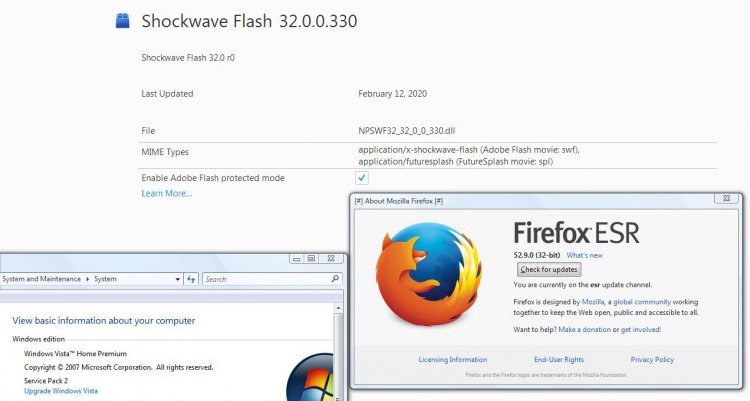
Unless you know something about the PPAPI version that I don't (not using any Chromium-based browsers on Vista myself), I think you must be lacking a Recommended update from 7 years ago. I suggest that you go to Installed Updates and type KB2763674 in the Search field. If it cannot be found, go to Microsoft Update Catalog and download it. It probably requires a restart. I think you would then be able to install Flash Player and various other software that isn't very old. Of course from a security standpoint, uninstalling Flash Player is an even better idea than updating it. This is Flash Player's last year as a supported product anyway, but there may still be some websites that require it.
I have that installed. The last time I tried to update AFP, it told me that the update wasn't applicable to my system. Seems to me, we talked about that in another thread.
If anyone is still using Adobe Flash Player and wants to continue updating it until the bitter end, version 32.0.0.433 has been released.
However, if anyone hopes to continue using Flash Player beyond its approaching EOL, then you might not want to update it. There has been discussion in an MSFN thread that recent versions of Flash Player include a “time bomb” that will render it useless in January 2021. The last version without the time bomb was reportedly 32.0.0.371, so you may have already updated past the point of no return, e.g. if you installed the version mentioned in erpster4’s June 18 post above.
Then again, websites that require Flash Player may soon disappear so completely that it won’t matter whether or not you have a working version after January 2021. It might be best to simply uninstall Flash Player.
Any sites old enough to still be programmed in flash won't work completely (possibly at all) without flash player. Granted there probably aren't that many any more because of html 5 but it's possible. Games can also require it as can other software. Although I'll admit that I can't remember the last time I've had to use it.