Windows Vista Forums
Vista Forums Home Join Vista Forums Windows 7 Forum Vista Tutorials Tags
Welcome to Windows Vista Forums. Our forum is dedicated to helping you find solutions with any problems, errors or issues you are experiencing with Windows Vista. The Vista forum also covers news and updates and has an extensive Windows Vista tutorial section that covers a wide range of tips and tricks.

Go Back   Vista Forums > Vista Forums > Overclocking & Cooling

Vista - Intel E8400 Temp problem

Reply
 
Old 04-10-2009   #21 (permalink)


Windows 7 Ultimate x64


Re: Intel E8400 Temp problem

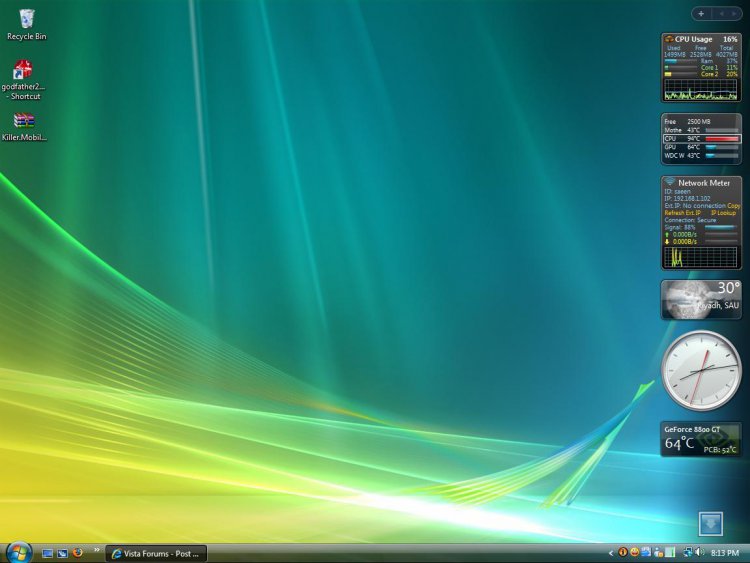
i cleaned my pc througly. See now. Improved right

Attached Thumbnails
undtitled.jpg  
My System SpecsSystem Spec
Old 04-10-2009   #22 (permalink)


Windows 7 x64


Re: Intel E8400 Temp problem

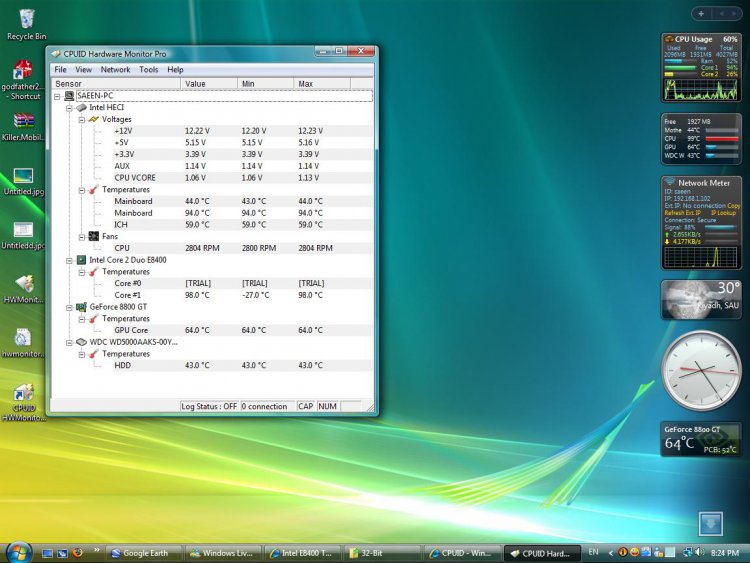
That is an improvement It seems to have fixed your sensors too as it no longer displays the temps as a minus.

Is your room generally warm as well? As ambient room temperature will always affect a PC's temp.
My System SpecsSystem Spec
Old 04-10-2009   #23 (permalink)


Windows 7 Ultimate x64


Re: Intel E8400 Temp problem

Yes bro my room is warm. If I turn on Air condition, i feel very cold. So i keep it off. I'll add more fans and better cpu cooling
My System SpecsSystem Spec
Old 04-10-2009   #24 (permalink)


Windows 7 Ultimate x64


Re: Intel E8400 Temp problem

My objective to to decrease temp to 45~50c.
My System SpecsSystem Spec
Old 04-10-2009   #25 (permalink)


Vista Ultimate SP2 x64 : Seven Ultimate x64


Re: Intel E8400 Temp problem

Yeah, they are some crazy temps for idle...

Did you double check the cooler is attached properly?

Did you use thermal paste?
My System SpecsSystem Spec
Old 04-10-2009   #26 (permalink)


Windows 7 Ultimate x64


Re: Intel E8400 Temp problem

Yes I removed the cooler and then reinstalled. There was some thermal paste on the sink and also on the processor. I used brush to clean the dust as it was covering the whole processor (except its center).
My System SpecsSystem Spec
Old 04-10-2009   #27 (permalink)


Vista Ultimate SP2 x64 : Seven Ultimate x64


Re: Intel E8400 Temp problem

Wait... you removed the cooler, brushed it and then put the cooler back without adding new paste? If so, there's your answer

Each time you remove the cooler you really should clean the existing paste off and then re-apply a fresh lot. Especially if there is a chance that there is now dust in the paste.
My System SpecsSystem Spec
Old 04-11-2009   #28 (permalink)


Windows 7 Ultimate x64


Re: Intel E8400 Temp problem

Hmmm i'll do it today. for sure...
My System SpecsSystem Spec
Old 04-11-2009   #29 (permalink)


vista ultimate 32bit


Re: Intel E8400 Temp problem

Hi,

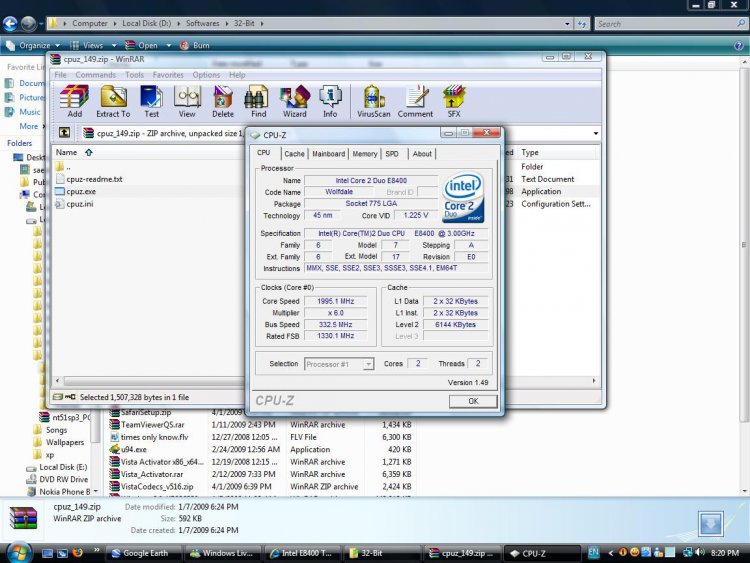
I noticed that your clock speed is just 1.99Ghz and the multiplier is 6. In the case of E8400 your cpu is underrated. out of the box the E8400 should be rated at around 2.4-2.8Ghz and with a multiplier 9. the temp problem of your E8400 is not caused by poor cooling system and even if you dont add any additonal fan the temp shouldnt be as high as it indicates but you need to take a look on the correct BIOS settings and check if you have the latest drivers. now, if you have all these correct settings and drivers the problem is with your E8400. your cpu is not located in the mohabi desert to have this kind of temperature you're "deep frying" your cpu actually. check if it is still under warranty.
My System SpecsSystem Spec
Old 04-11-2009   #30 (permalink)


Windows 7 Ultimate x64


Re: Intel E8400 Temp problem

hmm it is still under warrenty. Should I claim warrenty?
My System SpecsSystem Spec
Reply

Thread Tools


Similar Threads
Thread Forum
OCing e8400 with asus mobo Overclocking & Cooling
Max overclock with E8400 Overclocking & Cooling
Windows Vista strange settings on temp folder AppData\Local\Temp\1 Vista security
Successful OC e8400 @ 4.00Ghz Overclocking & Cooling
Intel E8400 General Discussion


Vista Forums is an independent web site and has not been authorized,
sponsored, or otherwise approved by Microsoft Corporation.
"Windows Vista", the Start Orb, and related materials are trademarks of Microsoft Corp.
© Designer Media Ltd

1 2 3 4 5 6 7 8 9 10 11 12 13 14 15 16 17 18 19 20 21 22 23 24 25 26 27 28 29 30 31 32 33 34 35 36 37 38 39 40 41 42 43 44 45 46