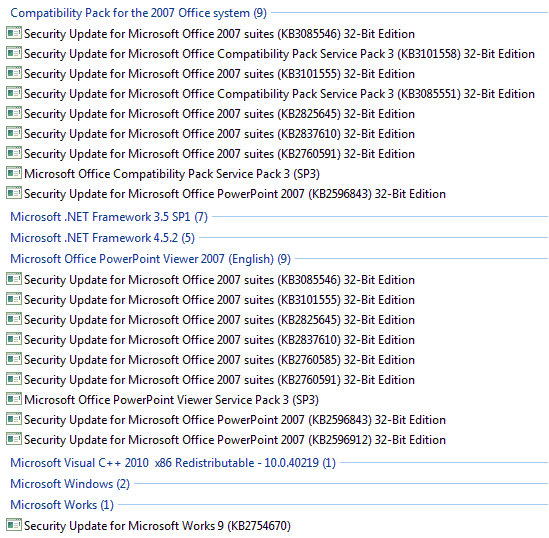
Hi, can I ask for some help, please?
Manual installation of KB3191203, KB3203621, KB3203859, KB3205638 and KB3204723.Regards, VZ
A relative's PC was upto SP2, and last updated in March 2016 but his Windows Update was hanging so I thought this would also be applicable to me. So I manually installed those - except the IE related one because it said it was not needed (I first had to install IE9) which I later downloaded & installed both. Unfortunately, despite Mooly's success, I gave it half an hour and it still hadn't found any updates (nor were there anything in .../SoftwareDistribution/Download/ to suggest it was actually doing something). I then tried following this:
I've made a minor revision to my step-by-step instructions for speeding up Windows Updates on page 1 of m#l's thread Updates not working, it has been searching for updates for hours and noted that the current instructions are now valid to 13-Mar-2017.
I followed the 'If Windows Update failed to install your December 2016 Patch Tuesday updates' steps,
KB3078601 (rel. 18-Aug-2015) - was already installed on the system
KB3109094 (rel. 07-Dec-2015) - said it wasn't applicable
KB3185911 (rel. 13-Sep-2016) - said it wasn't applicable
KB3191203 (rel. 11-Oct-2016) - had already downloaded and installed earlier
KB3203859 (rel. 08-Nov-2016) - had already downloaded and installed earlier
KB3204723 (rel. 13-Dec-2016) - had already downloaded and installed earlier
Slightly perturbed that I couldn't see the 2nd and 3rd as installed, nor would it let me install them, I nonetheless ran a Check for Updates. I left it for two hours and as feared, found it still hanging. I've since noticed in that post, the mentioned German site (wu.krelay) seems to mention simply KB3216775, which I don't remember installing - should I have just tried that?
Thanks.



 I now have a fully updated image with ZERO failed updates. New Disk image taken for recovery purposes and now I can rebuild the system. I have been running W10 on this 10yr old Acer laptop but it is struggling and gets bogged down, I suspect due to buggy drivers (NVidia Ge-Force Go6100 graphics mainly).